
Best Beginner 3D Printers Under $300
Start your 3D printing journey without breaking the bank. These affordable printers deliver impressive quality and reliability for beginners.
Written by Maria Dillon
•11 min read readGrandmother, maker, and practical tech reviewer. I help families (and their pets!) find budget-friendly gadgets that solve real problems. Every product is evaluated with decades of hands-on experience, thorough research into real consumer feedback, and a maker's eye for quality.
Related Articles
Kitchen Gadgets That Make Cooking Easier
Discover practical kitchen tools that save time and simplify meal preparation.
Read MoreHome Organization Gadgets That Work
Transform cluttered spaces with these effective organization solutions.
Read MoreSmart Home Energy-Saving Gadgets
Reduce energy costs and monitor your home's power usage with smart devices.
Read MoreAffiliate Disclosure: This post contains affiliate links. If you make a purchase through these links, we may earn a commission at no additional cost to you. We only recommend products we believe will add value to our readers. Learn more
About the reviewer: I'm Maria Dillon, a grandmother and maker from Charlotte, NC. I evaluate every gadget through a combination of hands-on testing and deep research into real consumer experiences — backed by decades of workshop know-how. Learn more about me →
3D printing used to require thousands of dollars and engineering knowledge. Today, you can get a high-quality beginner printer for under $300 that's ready to use out of the box. Whether you want to make custom phone stands, replacement parts, or even start a small side business, these printers will get you started.
I've been 3D printing for 5 years and have helped dozens of friends get started. These are the printers I actually recommend—machines that are reliable, have great community support, and won't frustrate you as a beginner.
⚡ Quick Picks – Best Beginner 3D Printers
Quick Comparison Table
| Product | Key Feature | Price Range | Amazon Link |
|---|---|---|---|
| Creality Ender 3 V3 SE | Auto bed leveling, huge community | $199–$229 | View on Amazon → |
| FLASHFORGE Adventurer 5M | Enclosed design, 600mm/s speed | $229–$259 | View on Amazon → |
| Sovol SV06 ACE | Built-in camera, 600mm/s speed | $239–$269 | View on Amazon → |
| ELEGOO Neptune 3 Pro | Dual Z-axis, direct drive extruder | $229–$260 | View on Amazon → |
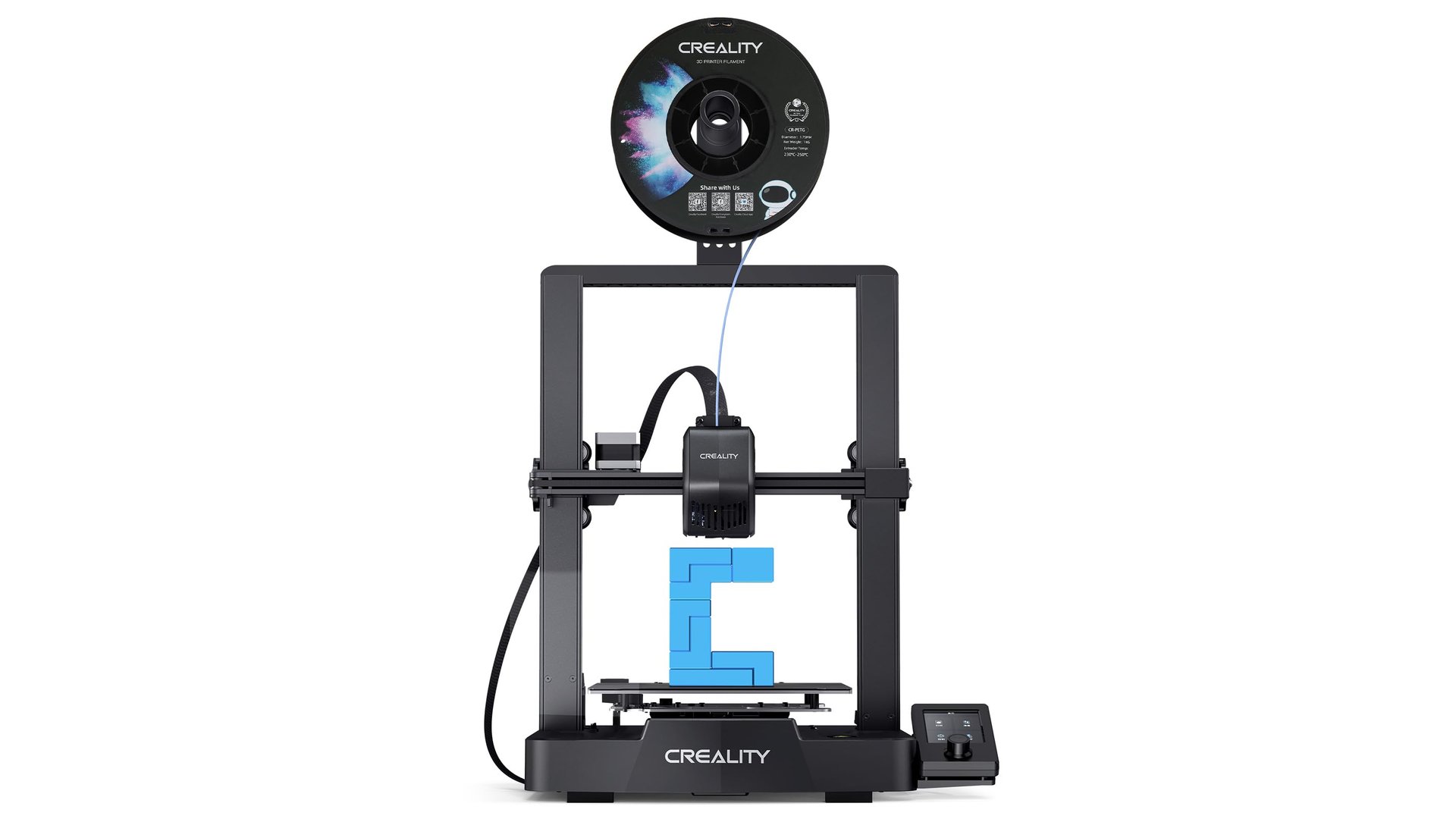
Creality Ender 3 V3 SE - Best Overall
The Ender 3 V3 SE is the latest evolution of the world's most popular beginner 3D printer. It adds auto bed leveling, faster printing speeds, and an improved user interface—all for under $250. This is the printer I recommend to everyone starting out.
Why This is My Top Pick:
The V3 SE fixes all the pain points of earlier Ender 3 models. Auto bed leveling means you spend less time calibrating and more time printing. The sprite direct drive extruder handles flexible filaments better too.
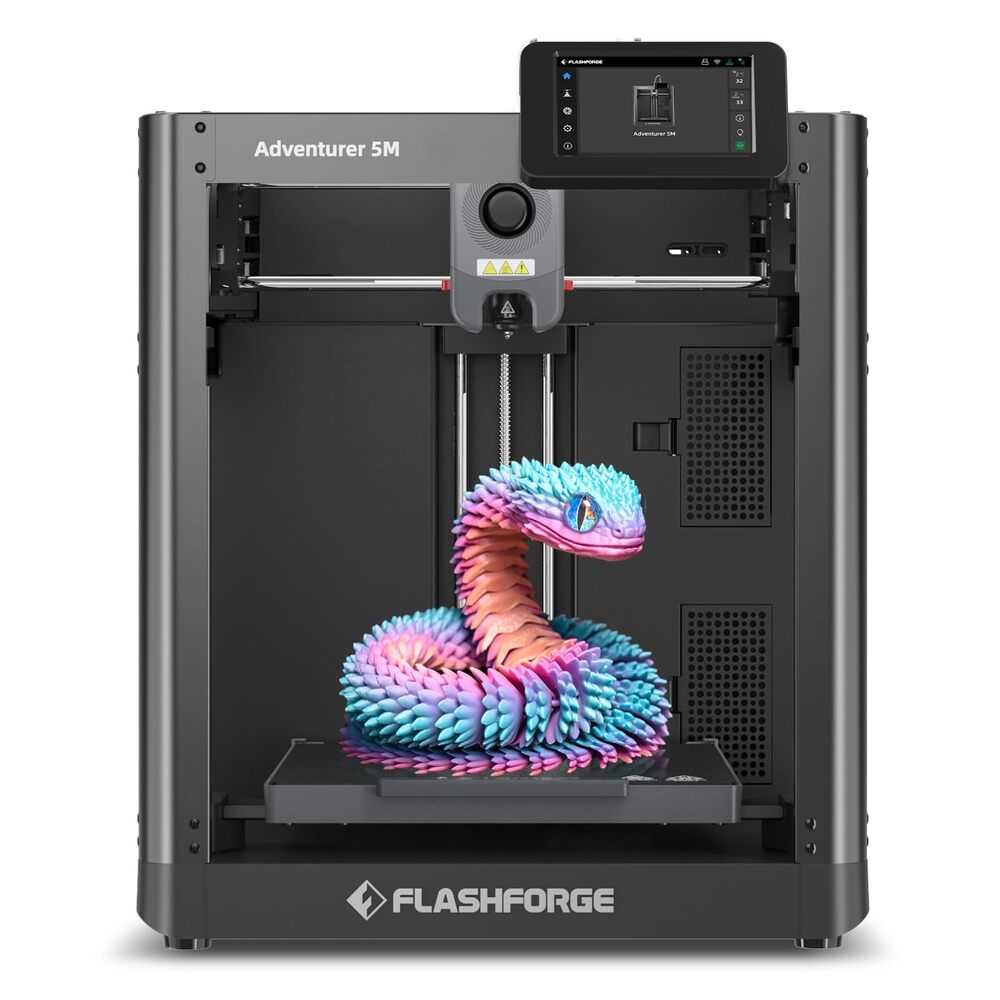
FLASHFORGE Adventurer 5M - Easiest Setup
The FLASHFORGE Adventurer 5M is the most "plug and play" 3D printer you can buy under $300. It comes fully enclosed for safer printing, has blazing fast 600mm/s speeds, and is ready to print in minutes with minimal assembly. Perfect for beginners who want hassle-free 3D printing.
- ✓600mm/s Max Speed: One of the fastest printers in this price range
- ✓Fully Enclosed: Safer printing, better temperature control, quieter operation
- ✓Quick Setup: Minimal assembly, ready to print in minutes
- ✓Auto Leveling: Built-in bed leveling for consistent first layers
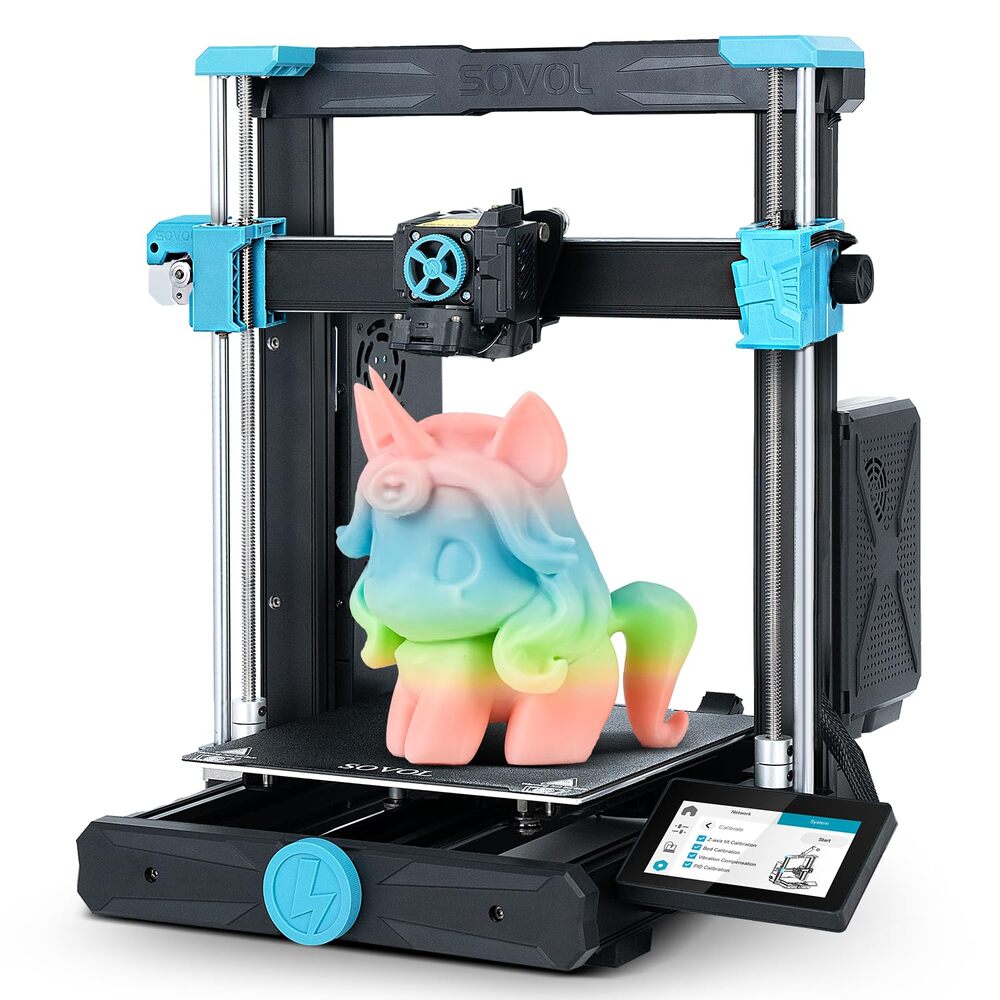
Sovol SV06 ACE - Best Features for the Price
The SV06 ACE is the upgraded successor to the popular SV06, packing features you'd normally find on $500+ printers. It adds blazing 600mm/s speeds, a built-in camera for remote monitoring, auto-leveling, direct drive extrusion, and a PEI build plate. If you want maximum features for your money, this is it.
🎯 Best For:
People who want to experiment with different filament types (including flexible TPU), monitor prints remotely, and don't want to upgrade their printer right away.
- ✓600mm/s Speed: Major upgrade from the original SV06
- ✓Built-in Camera: Monitor your prints remotely via app
- ✓Direct Drive Extruder: Better for flexible filaments
- ✓PEI Spring Steel Bed: Parts pop off easily when cooled
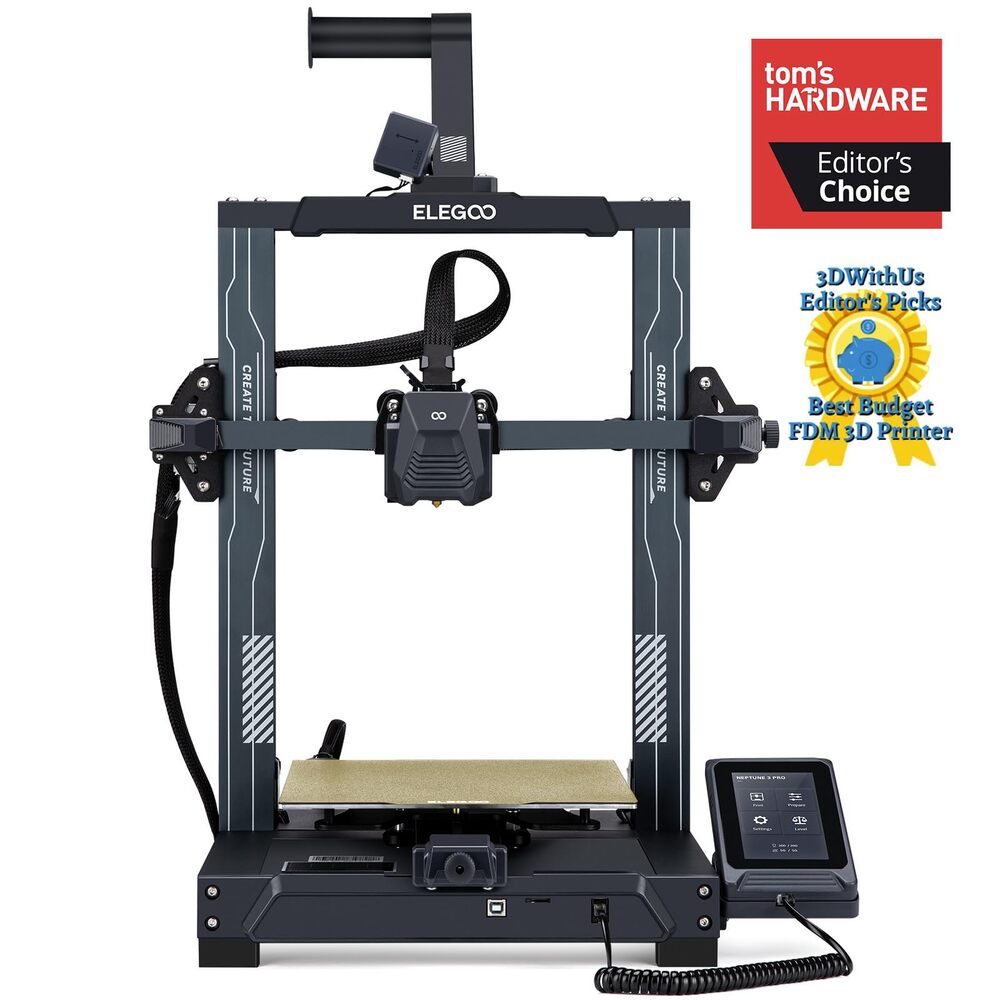
ELEGOO Neptune 3 Pro - Best Value Elegoo
The Neptune 3 Pro is ELEGOO's best printer under $300, offering excellent reliability and print quality. It features a dual Z-axis for stability, direct drive extruder for flexible filaments, and the trusted ELEGOO build quality that's earned a solid reputation in both FDM and resin printing.
- ✓Dual Z-Axis: More stable and reliable printing
- ✓Direct Drive Extruder: Better for flexible filaments like TPU
- ✓Auto Bed Leveling: Consistent first layers every time
- ✓Resume Printing: Recovers from power outages
Getting Started with 3D Printing
Your first few prints might not be perfect—that's totally normal. Here are some tips to get you printing successfully quickly:
- Start with PLA filament: It's the easiest material to print with and works for 90% of projects.
- Join the community: Each printer has active forums and Facebook groups. Don't hesitate to ask questions.
- Download free models: Sites like Thingiverse and Printables have millions of free designs to get you started.
- Keep it clean: A clean build surface and properly stored filament prevent most printing issues.
What Can You Actually Make?
The possibilities are nearly endless, but here are some practical things people actually print:
- • Replacement parts for household items (drawer pulls, clips, organizers)
- • Custom phone cases and stands
- • Board game organizers and accessories
- • Prototype parts for DIY projects
- • Gifts and decorations
- • Miniatures for painting or tabletop games
- • Cookie cutters and kitchen tools
Final Recommendation
For most beginners, I recommend the Creality Ender 3 V3 SE. It's the sweet spot of price, performance, and ease of use. The huge community support means you'll never be stuck if you run into issues, and it's reliable enough that you'll still be using it years from now.
If you want something even easier to set up with an enclosed design, go with the FLASHFORGE Adventurer 5M. And if you want maximum features for your money including 600mm/s speeds and a built-in camera, the Sovol SV06 ACE is hard to beat.
If you're also interested in budget tech gadgets for your home, check out our guide to the best smart home energy-saving gadgets.
How We Chose These Products
Every 3D printer in this guide was selected based on a combination of factors that matter most to beginners. We focused on printers priced under $300 to keep things accessible, while also considering customer reviews and ratings to ensure real-world reliability. Brand reputation played a key role—we prioritized companies with proven track records and active community support. We also evaluated each printer's ease of use, print quality, and overall value for money to ensure you're getting the best start in 3D printing.
What to Look for Before Buying
Build Volume & Print Quality
Consider how large you want to print. Build volume determines the maximum size of objects you can create. For beginners, a 220×220×250mm bed handles most projects. Also check the layer resolution—0.1mm or finer produces smoother, more detailed prints.
Ease of Setup & Use
Look for printers with auto bed leveling, which eliminates one of the most frustrating steps for newcomers. Pre-assembled or partially assembled models reduce setup time significantly. A touchscreen interface and intuitive software make the learning curve much gentler.
Material Compatibility
Most budget printers work with PLA, the easiest filament for beginners. If you want flexibility later, ensure the printer supports PETG, TPU, and ABS. Check the maximum nozzle temperature—higher temps (250°C+) unlock more material options.
Community & Support
A strong user community means free troubleshooting help, downloadable print profiles, and upgrade guides. Brands like Creality and Elegoo have massive communities. Also verify the manufacturer offers replacement parts and responsive customer support.
Frequently Asked Questions
What is the best 3D printer for beginners under $300?
The Creality Ender 3 V3 SE is widely considered the best beginner 3D printer under $300. It offers auto bed leveling, reliable print quality, and has the largest community support of any budget printer, making it easy to find help when needed.
Is 3D printing expensive to get into?
Not anymore. You can get a quality beginner printer for $200–$300, and a roll of PLA filament costs around $20 and can print many projects. The main ongoing cost is filament, which is quite affordable for hobbyist use.
How hard is it to learn 3D printing?
Modern 3D printers with auto bed leveling make it much easier than before. Most beginners can get their first successful print within an hour of setup. The learning curve comes from understanding settings and troubleshooting, but active online communities provide excellent support.
What can you actually make with a 3D printer?
Practical items include phone stands, replacement parts, organizers, custom cases, hobby accessories, gifts, and decorations. Sites like Thingiverse and Printables have millions of free designs, or you can learn to create your own.